From the desk of David Utke
Subj: The Non-Coder’s Way to Customize Your Site
Well I just spent the better part of a week completely overhauling both the design and the back end of my website with AI.
Specifically, I used Gemini AI (along with a bit of Grok) to improve the site content, site architecture, redesign the homepage, and tweak dozens of little things that had been frustrating me for a long time.
For someone like me, AI tools have genuinely unlocked math and coding to allow a new level of control over my own website. I can now do things that previously would have required hiring someone.
Here’s exactly what I changed and how I did it.
1) Professional Homepage
My site’s theme has always used a hardcoded HTML/CSS homepage, no block editor, no drag-and-drop. That meant I was stuck with whatever the original design gave me, unless I knew how to get into the code and change it myself.
When it comes to homepage design, you have two options:
- Build a sales page (offer, problem/solution, proof, testimonials, FAQ, CTA).
- Visual menu layout that showcases your different products and services.
I went with the latter, an offer section at the top, best in class starter content, latest blog posts and a final call to action at the bottom.
Here are the two biggest additions I made to the homepage:
Trust Bar
You’ve seen these on other websites, it’s the “Featured In” strip, or a quick row of social proof like subscriber counts or years in business.

I always wanted and needed one and never had the skills to add it in properly. For a You Inc branded site, this kind of element is non-negotiable, it immediately tells a first-time visitor that you’re competent.
With Gemini, I was able to build and implement a CSS-powered trust bar that now sits prominently on the homepage.
It took about 10 minutes of back-and-forth to get the padding right (Gemini kept inserting a line separator I didn’t want), but iterating through a few versions got me there.
Welcome/CTA Section at the Bottom
I added a final section at the very bottom of the homepage that doubles as both a welcome message and a call to action directing visitors to my about page.
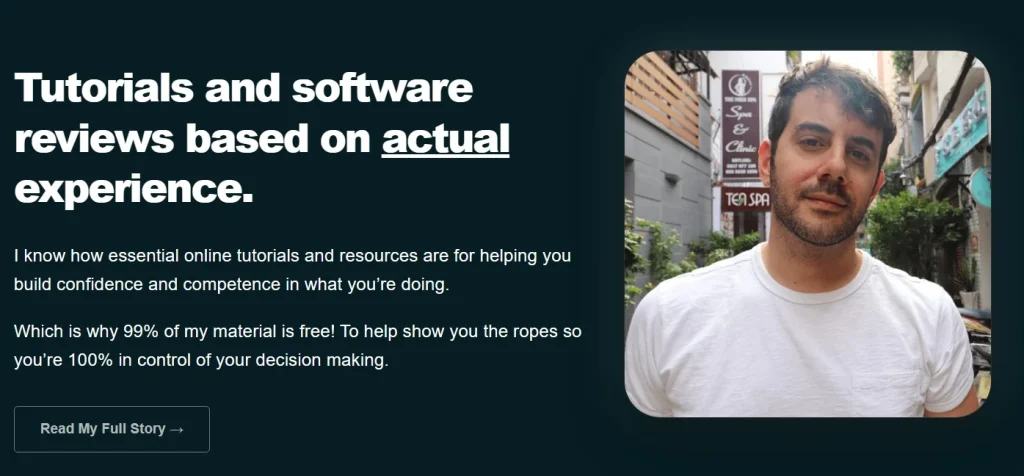
Gemini went above and beyond here, it added an image, a hover highlight effect, and rounded edges without me asking.
It simply gave it the footers color so everything blends together cleanly. Simple, but it looks polished.
2) Overhauling My Site’s Categories and Architecture
My site had always relied on categories and tags.
The tags were used to display related posts at the bottom of each article, but I never liked using tags.
They generate a bunch of thin pages with only one or two posts each, and while I had them set to noindex via RankMath, it felt like clutter and I’d rather have internal links pointing to genuinely useful, well-designed pages.
So I decided to rethink the whole category structure from scratch.
Here’s how I approached it with AI.
I created an archive page (now deleted, just made it for this purpose) on my site that listed every single blog post I’ve published.
I copied and pasted the entire thing into Gemini and prompted it to “Give me categories and subcategories that make sense for this content.”
The result was a clean breakdown into four main areas:
Originally my categories were all over the place (Fiverr, YouTube, Blogging, AI Tools). By narrowing it down to 4 key areas, the site just makes a lot more logical sense and is much easier to navigate.
Then I used Gemini to break down subcategories as my website has almost 130 blog posts. I kept the AI focused on giving me no more than 3-4 subcategories.
That way the site is optimized for both the end user and on-page SEO.
The real bonus was that once the categories were established in our conversation, Gemini could help me decide where individual posts belonged when I was going through and reassigning them.
It would weigh in on edge cases and explain why.
3) Redesigning the Category Pages
Once the structure was in place, I turned my attention to how the category pages actually looked.
By default, WordPress gives you very limited control over category page design, and my theme made it even more restrictive, the text ran super wide on desktop.
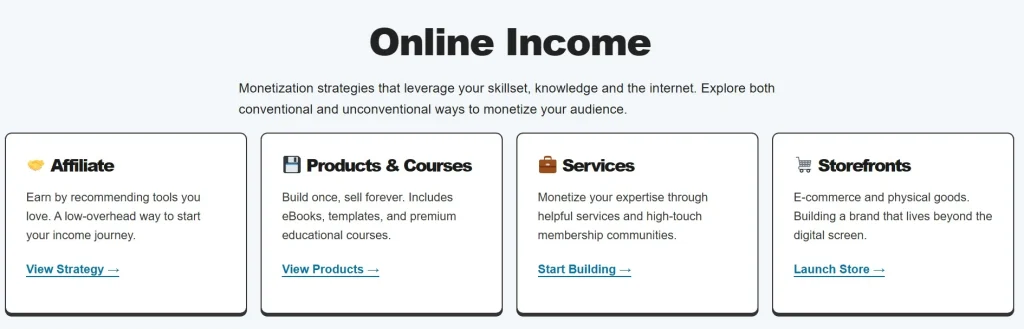
I used Gemini to fix exactly that. To narrow the text column while keeping the post grid full-width. A small change, but a big improvement for readability.
The bigger win was the subcategory link blocks. Rather than just dumping plain text links at the top of a parent category page, Gemini designed actual styled boxes, each with an emoji and a clean visual treatment that link to the relevant subcategories.
I also wrote custom copy for each category page and added relevant product/service recommendations (web hosts, tools, books) where they made sense as a way to monetize my category pages.
These pages are now real destinations, not just a WordPress auto-created afterthought.
4) Hard-Coded Related Posts (No Plugin Required)
With the new category structure in place, I replaced my tag-based related posts with something better, category and sub category based posts.
This is one of the things I love most about using AI for this kind of work, it makes a lot of plugins obsolete.
There’s no plugin running related posts on my site anymore. Gemini helped me delete the old tag-based code and replace it with code that references my categories and subcategories instead. Cleaner, faster, and more useful for the reader.
I also updated the breadcrumbs across the site to reflect the new category hierarchy and added a small icon separator between levels to make navigation more intuitive.
5) Custom Blog Post Design Elements
Beyond the structural stuff, AI helped me add a few design details to the blog posts that help make the published content here more beautiful and engaging.
Video embeds
Before I had to use a video play WordPress plugin to customize my embeded video content.
Now with AI, I was able yo build out custom CSS gives all video embeds a slight rounded border, and on hover they “lift” off the page with a subtle animation.
Looks great and is a subtle design feature my audience can appreciate.
Images
Any image I upload now automatically gets a border applied. No manual formatting every single time.
HTML charts
Again, instead of installing a plugin, I can go to Gemini, describe the data I want to visualize, and get a well-formatted, good-looking HTML chart I can drop right into a post.
No longer do I need to manually fumble around and fight with a plugin or WordPress block to get a nicely designed chart.
Glossary page
I built a glossary so I can link to from specific terms across the site. Gemini created a beautiful alphabetical anchor-link menu at the top (no plugin) so readers can jump directly to a section and a lovely “return to top” button in the corner.
One Marketing Insight I Didn’t Expect
Because this AI tool had access to my full archive of 120+ posts throughout our conversation, it was able to do something I didn’t anticipate.
It identified one specific post as my de facto mission statement and recommended I feature it more prominently.
Based on the analytics since making that change, it was the right call. Visitors spend five or six minutes on that page and click through to my YouTube, Fiverr, and other CTAs.
Tips If You Want to Do This Yourself
If you’re thinking about using AI to vibe code your WordPress site, here’s what I’d recommend based on what worked for me:
Use a minimalistic theme
The less bloated your theme, the more control you have.
Mine is built on clean HTML pages with a tidy CSS file, that means I could actually edit the index page, post templates, partials, and so on.
If your theme is a heavy page-builder framework, you’ll have less flexibility.
Keep everything in one long conversation
Don’t start fresh chats for every task. Over the course of a long session, the AI builds context about your site, your goals, and your preferences.
That context is valuable. I uploaded images, referenced earlier decisions, and the AI could just work with what we’d already discussed.
Learn basic HTML and CSS
You don’t need to be an expert but you need to be able to read the code, understand roughly what’s happening, and communicate clearly with the AI about what you want.
Think of it like being an expat in a foreign country, you don’t need become fluent, but you need enough to understand the basics.
Use shortcode for reusable elements
Because AI can help you build custom elements (like styled buttons or callout boxes) and then write the shortcode to reference them, you can skip a lot of plugins entirely.
I use shortcode for several design elements across my site that are just CSS-powered, not plugin-powered.
Be patient and iterate
The AI isn’t going to nail it on the first try. Upload a screenshot of what’s appearing on your site, describe what’s wrong, and go back and forth until it’s right.
Don’t get frustrated, that’s just part of the process when vibe coding with AI.
Always use a staging environment
Before touching anything on your live site’s code base, set up a staging environment.
Most good WordPress hosts offer this (mine is WPX), and there are plugins that do it too. Test everything in staging, then merge to live. If something breaks, you just delete the staging site and start over.
Conclusion and Final Thoughts
I’m very impressed with what is possible now with AI. Being able to add essential custom elements to my site that were once out of reach for me from a technical standpoint are now unlocked.
Instead of having to spend a hundreds of dollars on a developer, I can simply make the required changes myself.
Get to work,
-David.
How I can help you. You're here, let's do this:
1. Website Review Your website may be clear and specific to you, but it may be really confusing to anyone who visits. That's where I come it, I'll give you actionalbe feedback to improve your site with my highly rated gig.2. My YouTube channel Helpful video tutorials showing you how to launch, grow and monetize your audience.