So you want to start a branded, email newsletter?
Well you’re you’re going to need an email newsletter platform for that. An email newsletter is something you send out typically once a week and position the emails as the reason for signing up.
Join 175K+ readers of The Saturday Solopreneur for tips, strategies, and resources to monetize your expertise. – Justin Welsh “The Saturday Solopreneur” newsletter.
No lead magnet, no sales funnel, just a predictable, helpful, once a week email.
Branded email newsletter
Instead of doing the typical email marketing approach where you offer a lead magnet to get people to subscribe to your list and then send new subscribers down a marketing funnel for some product or service; a branded email newsletter is all about high impact value via a predicatable email.
Come up with a brand
The first step before doing anything else is to come up with a brand name that makes people want to subscribe because they understand the value they’re going to get.
- Clark Kegley writes the “Refusing to Settle” personal development newsletter.
- James Clear has his famous 1-2-3 habits newsletter.
- Mark Manson sends out the “Breakthrough.”
- Justin Welsch as previously mentioned publishes the “Saturday Solopreneur” newsletter.
High converting tagline
This is the why, WHY should people subscribe. You need to elegantly convert people though giving them a compelling reason.
“5 minutes that might change your life” is what Mark Manson uses. This grabs your attention and does not seem intimidating as 5 minutes is short and easy to digest.
“Join 175k people” is outstanding social proof that Justin uses.
Lead magnet?
While not required, you can incorporate a lead magnet into your copy to make it more compelling. James Clear offers a free chapter of his book and Clark has “10 questions” cheat sheet. But the primary selling point is to join the newsletter.
Top Newsletter Platforms for 2026
Ghost.org – My top choice for newsletters
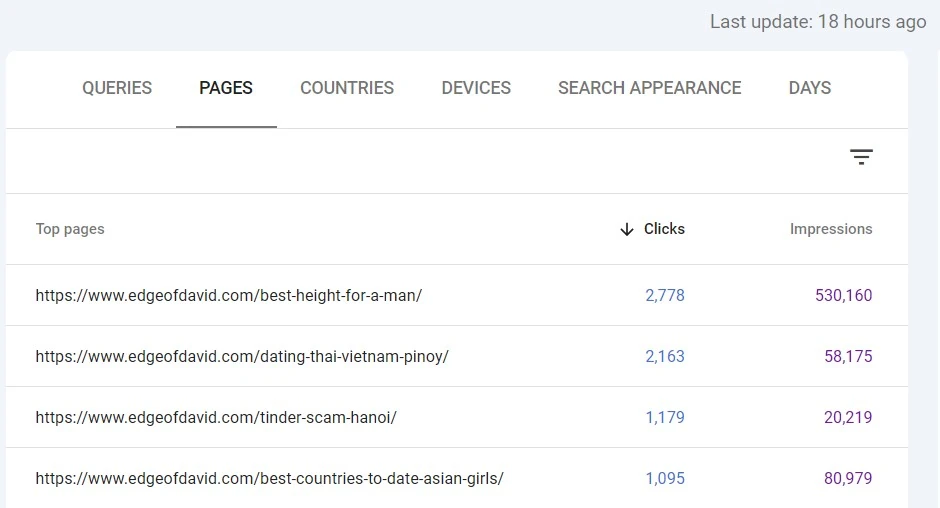
I love and use the Ghost.org platform over at my expat travel blog.
It combines pro blogging, broadcast email marketing with paid subscriptions into a beautifully designed platform that can actually rank and get organic search traffic and traffic from AI.
You can get started with Ghost using a free trial and then it will set you back just $15 a month for 1000 email subscribers that you can email as many times as you like.
With Ghost, the way it works is that you compose blog posts and then you can choose to either:
- Email your subscribers.
- Email and post the email as a blog post to your website.
- Post to your website only.
Helpful editor cards (blocks)
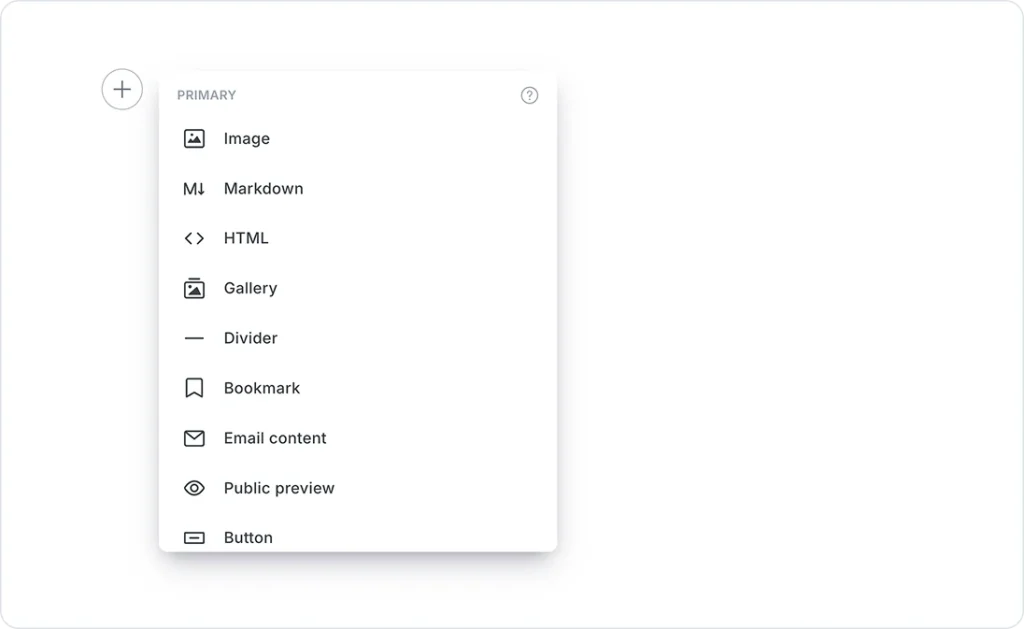
Blocks in Ghost are called cards. You have a wide range of cards to help create dynamic content that makes your emails and blog posts more beautiful and high converting.
One of my favorite cards is the “email content” block. This allows you to have hidden content only readable in an email client. This gives another compelling reason for people to subscribe and stay subscribed.
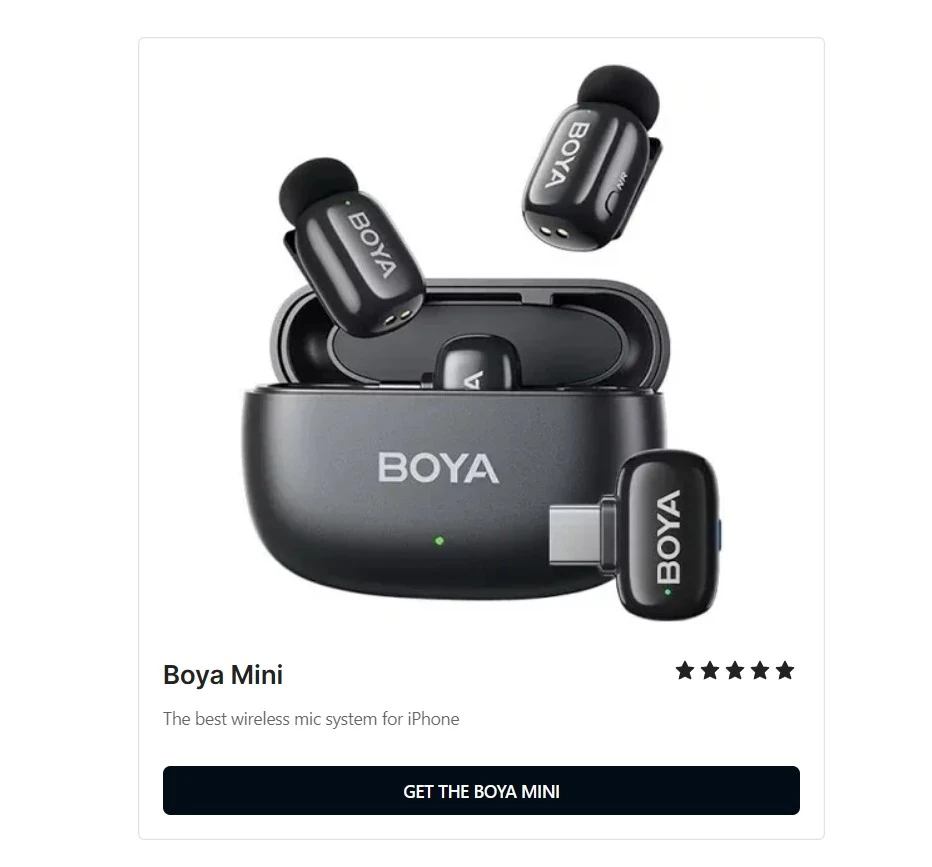
You also get product boxes to help you promote both your own products as well as affiliate offers.
Paid subscriptions
Paid subscriptions are built into the Ghost platform so there is no technical setup. Simply create a Stripe account and link it to your Ghost.org website. You can also offer trial offers and coupon codes to convert subscribers.
Beautiful, professional branded design
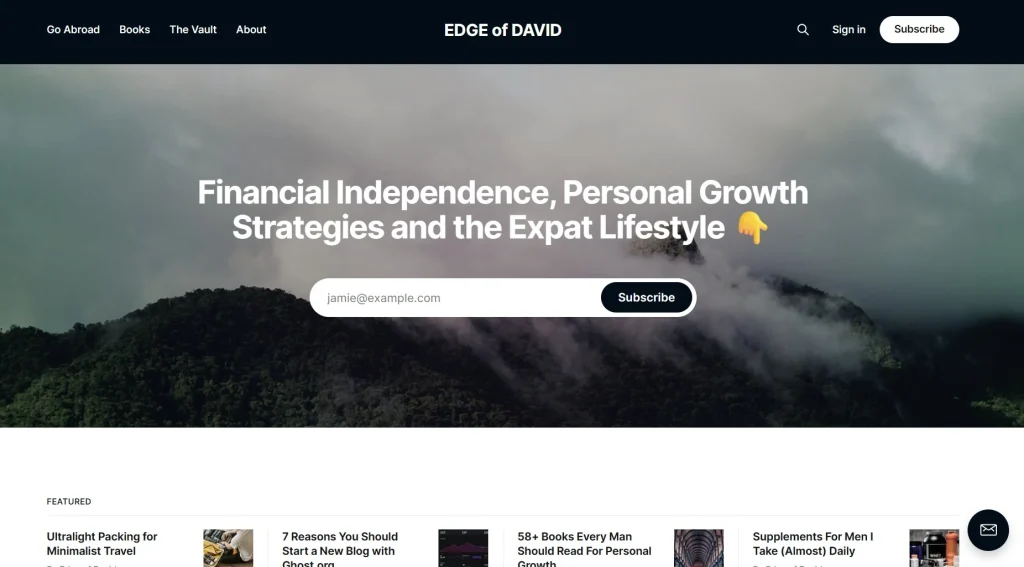
Finally, Ghost comes with a wide range of beautiful, high converting, professional looking themes that you can use. This is in stark contrast to other platforms that have more of a cookie-cutter, templated design.
Pros and cons
Pros:
- Rank organically and get traffic from both search engines and AI.
- Setup basic on-boarding automations with a “thank you” email.
- Card editor blocks for dynamic content.
- Beautifully designed, minimalistic emails your audience will love.
- NO transaction fees on paid subscriptions!
- A true combination of blogging, email marketing and paid subscriptions.
Cons:
- Only a free trial is available, no free plan.
- Paid subscriptions are under the “publisher” plan.
- No advanced automations, just a simple welcome sequence is available.
Ghost
Ghost is a hosted blogging platform with strong focus on paid subscriptions, blogging and email marketing.
You get access to a bunch of well designed themes, a superior content creation experience, and the ability to offer a direct response email newsletter, tips & donation and paid subscriptions without any tech setup.
I use this platform for my personal development/travel/expat blog found at edgeofdavid.com

➪ Checkout my free Ghost website tutorial.
Beehiiv – Email newsletter with growth and monetization built in
One of my more popular tutorials on my YouTube channel is breaking down how to build and launch a newsletter website using Beehiiv.
Beehiiv was made popular by the smashing success of both the Milk Road Newsletter and Morning Brew. It’s a platform that allows you create your website for free and have up to 2500 subscribers. You can email those subscribers as many times as you like.
You get a complete website with a homepage and your emails are displayed as blog posts (though they can be hidden if you like). The design is overall a bit cookie cutter, but behind the scenes Beehiiv has a lot going on.
The Ad Network:
They have a native marketplace where you can see sponsors and apply to include them in your monthly send with one click. You get paid based on opens or clicks.
Yes you can run your own sponsorships with any email newsletter platform, but the Beehiiv ad network makes monetizing your list very easy at the click of a button. No going back and forth with advertisers.
Automations:
While automations are not available on the free plan, they open up to you once you become a paying subscriber and is one of the most compelling reasons to upgrade your account.
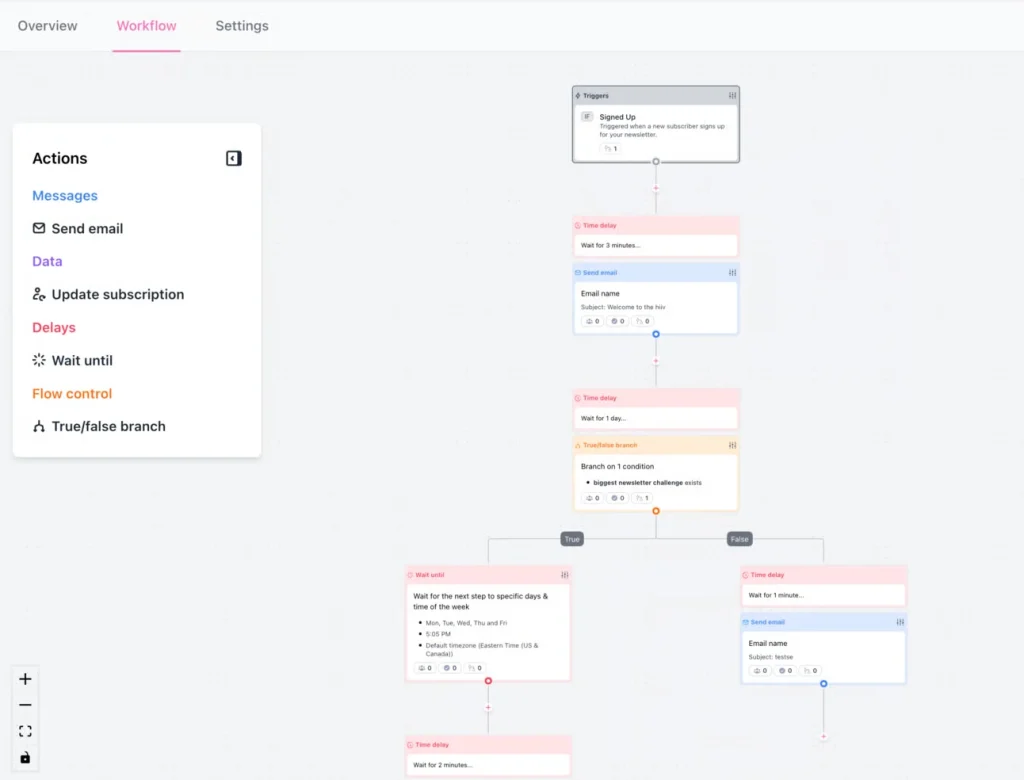
Take advantage of powerful “if/then” engine that handles everything from multi-step welcome sequences to behavioral triggers, ensuring your list stays engaged and monetized between your monthly sends.
The Referral Program:
Similar to the famous Morning Brew milestone system. You can offer rewards (like free access to paid tiers) to readers who refer their friends and audience, all tracked automatically.
Recommendation Network:
When someone signs up for your newsletter, you can show them a popup of 2–3 other newsletters you recommend. If they sign up for those, the other creators might do the same for you, creating a “growth loop.”
Boosts:
You can actually get paid (usually $1–$3 per subscriber) just for recommending other newsletters to your new signups. If your subscribers convert and subscribe to other newsletters you get paid.
Boosts can be used in combination with the recommendation network.
Pros and cons:
Pros:
- Create a complete website for your newsletter.
- Easy monetization options with the ad network and boosts.
- Useful automations to leverage.
- Free plan to get started with.
Cons:
- Templated design, Beehiiv sites all kind of look the same.
- Automations are behind a paywall. Worth upgrading to unlock.
- Can not set a custom domain until you’re on a paid plan.
- Poor on-page SEO, your content is not going to rank organically.
- A bit of a learning curve overall.
BEEHIIV
Build a beautiful, high converting newsletter website today with Beehiiv.
Free plan to get you started, Scale plan unlocks all the features you need to grow and monetize your audience.

➪ See my in-depth Beehiiv review here.
➪ My breakdown of Beehiiv vs Ghost.
Kit – Generous free plan for growth
Kit has become one of the best all-a-round email marketing platforms and makes my list because they have a dedicated FREE newsletter plan.
That’s right, totally free up to 10k subscribers. No limits on email sends too, which make it a compelling offer. On top of that you do get a dedicated website with Kit that includes an offer section (so people can sign-up) and your email archive.
Though not as beautifully designed as Ghost, and no your Kit site is not going to rank, you get it included for free.
The 10k Free Limit
This is Kit’s “headline” feature for 2026. It is currently the most generous free tier on the market, allowing you to host up to 10,000 subscribers with unlimited email sends at zero monthly cost.
The Creator Network
This is Kit’s version of a growth loop. It allows you to partner with other writers to recommend each other’s newsletters. According to Kit, creators using this network grow 2x faster than those who don’t.
Essential Automation
While the free plan is limited to one visual automation and one sequence, it’s perfect for a monthly newsletter. You can set up a single, high-quality “Welcome” series that introduces new readers to your best work automatically.
Creator Profile
Instead of needing a full website, Kit gives you a “link-in-bio” style landing page that acts as your newsletter’s home.
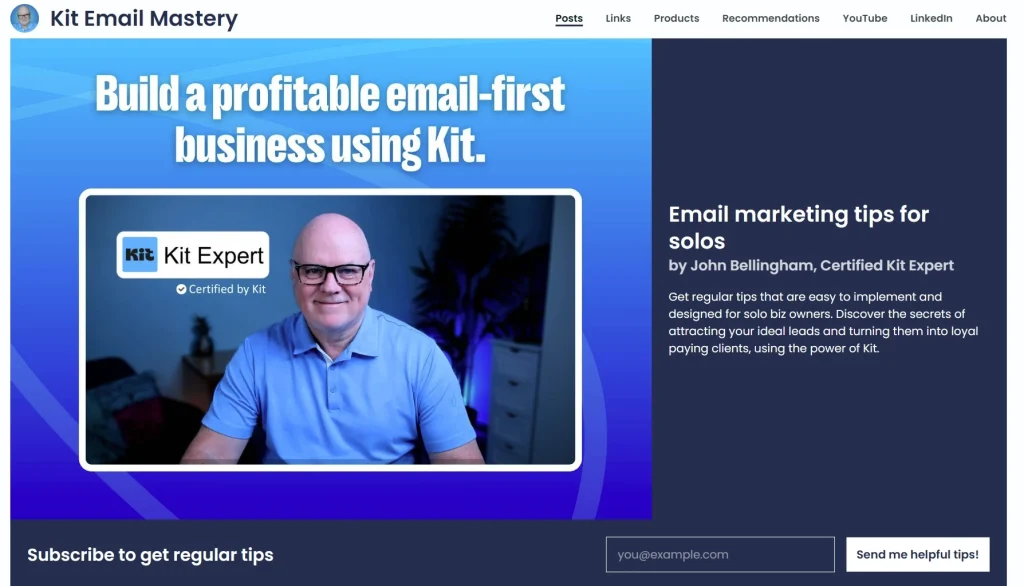
It automatically archives your past monthly sends into a clean, searchable blogroll. So even if you don’t have a website yet, you can build one with Kit and set a custom domain too.
I suggest Namecheap for everything domain name related.
Digital Product Ready
Even on the free plan, you can sell digital products (like a PDF guide or a paid newsletter tier) directly through Kit.
They handle the delivery and payments, taking a small 3.5% + $0.30 transaction fee. The landing pages for your products are a bit mediocre, so if you do want to use Kit to deliver your products, I suggest building a landing page with a different platform.
Carrd.co is one of my favorite cost effective landing page platforms.
So what’s the catch?
No advanced email marketing automations or funnels. To email your list you need to manually do so each and every time. If you’re looking to create complicated sales funnels you can do so via a paid plan.
Pros and cons
Pros:
- Kit has become the gold standard for email marketing for creators.
- Landing page website that you can customize as well as set a domain name.
- Great deliverability.
- Sell digital downloads.
- Totally free to start, up to 10k subscribers.
Cons:
- No marketing funnels or automations on the free plan.
- Your “Kit creator profile” is not going to rank organically for search engines.
- Not ideal for selling online courses or anything with video content.
Kit
My preferred email service provider of choice. Advanced funnels, clean user interface, great looking landing pages and an incredibly helpful tagging feature.
Grow your email list today. Email is how you turn a blog or YouTube channel into a business.

Substack – The simple, done for you choice
Substack is the “low friction” option.
It’s perfect for writers who want to focus 100% on content and let the platform handle the growth via its built-in network.
You get your own dedicated website that you can customize to a small degree, offer paid subscriptions options, have a chat function built in and create “members only” content.
The Network Effect
This is Substack’s unique selling point. Features like Recommendations and Substack Notes (their X-like feed) mean your newsletter is shown to readers of similar publications. For many writers, 40% or more of their new signups come directly from the Substack network rather than their own marketing.
Simple, Straight Forward Monetization
There are no monthly fees to use the platform. Instead, Substack takes a flat 10% cut of your paid subscription revenue. If you don’t charge your readers, the platform is entirely free with unlimited subscribers and sends.
Custom Domain
You can set your own custom domain name for branding purposes instead of using a Substack subdomain (publication.substack.com).
However, Substack does charges a one-time $50 fee to link a custom domain, but once you pay this feature is unlocked. You also obviously need to purchase your own domain as well (again, I suggest Namecheap.com).
Community Features:
Substack is built for interaction. It has the best native Comments and Discussion Threads in the industry, making it feel more like a community hub than a one-way email.
Minimalist Editor:
The writing experience is intentionally restricted. You can’t change much about the layout or fonts, which ensures your newsletter looks great and remains readable on every device without you having to “design” anything.
Pros and Cons:
Pros:
- Dedicated website with your own custom domain.
- Built in recommendation network for growth.
- Paid subscriptions built in without the techy setup.
- Actually useful community features to engage with your audience.
Cons:
- Templated design, all Substack sites look the same.
- $50 paywall to unlock the custom domain feature.
- Your content will not rank in search or AI.
- 10% transaction fee (fair enough given everything else).
Buttondown.com – The Indie Publisher Choice
Buttondown is the “minimalist choice” for indie publishing. It’s designed for writers who want a clean, fast experience without the heavy marketing bloat found in bigger platforms.
Buttondown’s biggest selling point is that it uses a clean Markdown interface (with a simple “What You See Is What You Get” option) so you can write quickly and efficiently without fighting a clunky visual builder.
By default, Buttondown is GDPR-compliant and doesn’t track your subscribers unless you explicitly turn it on. This is a huge “pro” for a tech-savvy audience that values data privacy. You can also set up paid subscriptions through Stripe.
Unlike Substack, Buttondown takes a 0% cut of your revenue. You only pay the standard Stripe processing fees.
Affordable Pricing:
While Buttondown has a free tier for your first 100 subscribers, the Basic plan ($9/mo) is where it shines. This is one of the most affordable ways to send your newsletter from a custom domain and remove all platform branding.
You can also scale your newsletter and the cost is still much less than competitors. I also like how they have select “add-ons” that you can choose to pay for or not.
Like “white labeling” which removes all branding if you’re under 5000 subscribers.
Automations
Buttondown allows you to build automated welcome sequences and “drip” campaigns. You can trigger specific emails to go out based on when a user signs up or when they are assigned a specific “tag,” making it perfect for onboarding new readers into your monthly cycle.
Pros and Cons:
Pros:
- Free for the first 100 subscribers to get you going.
- Designed for those who want to write in markdown.
- No transaction fees on paid subscriptions.
- Useful email marketing automations built in.
- Excellent support.
Cons:
- Learning curve, Buttondown.com does not have the most polished of dashboards like other platforms.
- No discovery system built in like Beehiiv or Substack.
- The free plan at 100 subscribers is a tight cap.
- No templates for the emails you send out.
Jetpack – The Totally Free WordPress Option
Jetpack allows you to have unlimited subscribers and unlimited email sends.
Jetpack is a WordPress plugin so you’ll need to be using a self hosted installation of WordPress.
I have complete guides on how to create a WordPress website as well as how to start a blog that will get you going if you you’re new to WordPress.
With Jetpack installed, all you have to do is enable the newsletter feature at the click of a button.
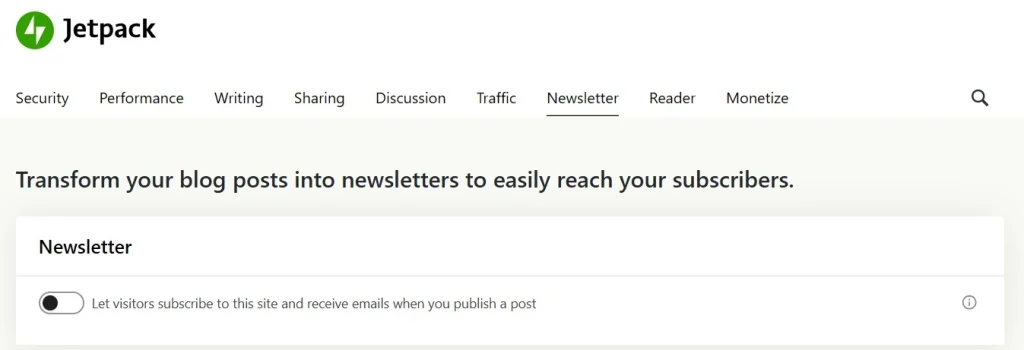
Once Jetpack is turned on, you can click a button to enable a “subscribe to your website” block at the end of every post automatically as well as enable a pop-up to trigger as readers scroll through your content.
The catch?
First, you need to be using a self hosted installation of WordPress.
Emails are blog posts too
Next, the emails are blog posts you publish on your site. They have WordPress branding and can’t be customized in any way to match your brand.
You don’t get any sort of automations or autoresponders. No “welcome series” of emails, no lead magnet to entice people to sign up.
Can choose to email or not
The ability to choose to email or not email is an option with Jetpack.

When you hit publish, you can email subscribers only, paid subscribers or everyone. If you revert a post to draft and then “republish” it, you’ll be able to email the update again.
This is one reason why I like publishing with Ghost, if I don’t want to email my list but I created a keyword target post that I want to publish on my site, I can do exactly that. Just publish it on my site without email my audience.
Limited form design
The forms that Jetpack puts on your website are painfully basic looking and the copy can’t even be customized easily.
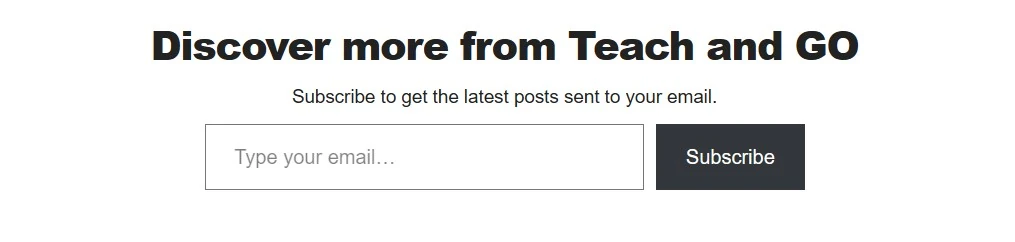
But you could work-a-round this using AI to customize a form for your website.
Offer Paid Subscriptions
One very unique offering from Jetpack is the ability to content lock your site and newsletter.
That means people can become a paying subscriber and get access to “members only” content on your site and via the newsletter.
For paid newsletters
You can set up paid subscription tiers, gate content behind paywalls, and process payments via Stripe. This enables recurring paid subscriptions for exclusive newsletter content, one-time offerings, or gated posts.
Transaction fees
Transaction fees (on top of Stripe’s fees) depend on your Jetpack plan:
- The Free plan is 10% fee on revenue from paid subscriptions.
- For the Growth plan it becomes 2% fee (recommended for better monetization).
- Complete plan: Also at 2%. Only get this plan if you’re using their suite of tools.
Pros and Cons
Pros:
- Unlimited email subscribers, unlimited email sends.
- Can setup paid subscriptions, even with a free Jetpack plan.
- Since your emails are blog posts, with good SEO you can rank in search and get recommended by AI.
- Creating a website with WordPress is easy, now you can turn it into a newsletter if you like.
Cons:
- Limited customization of the emails your audience receives. Heavy on the WordPress branding overall.
- Jetpack forms are quite basic, but you can fix this using generative AI to code you up something better.
- No automations or workflows with Jetpack. Just hit publish and your audience gets emailed.
- More of a blog post notification service, but you can position it as a newsletter.
Executive Summary
Email newsletters are a unique way to reach your audience. Email is still that private, personal space online which is why when you grow a list, it’s so, so valuable.
Direct contact to people who want to hear from you.
So if this was TLDR, here is the breakdown:
- Ghost: The pro blogging (get organic search traffic) and email marketing platform for professional with paid subscriptions and 0% transaction fees.
- Beehiiv: Built-in ad network, referral systems, and a marketplace designed to help you scale and monetize.
- Kit: Offering a massive 10,000-subscriber free tier a a powerful network for creators to grow via recommendations and the ability to sell digital downloads.
- Substack: The done for you options that prioritizes simplicity and discovery, giving you instant access to a massive network in exchange for a 10% cut of your revenue you make
- Buttondown: For more tech-savvy writers who want a fast, markdown-based experience and privacy-first analytics at an affordable price.
- Jetpack: WordPress plugin that lets you send unlimited emails to unlimited subscribers in the form of blog posts completely for free.
Any questions or comments then drop me a message via the contact page.
Thanks for being here,
-David
How I can help you. You're here, let's do this:
1. Website Review Your website may be clear and specific to you, but it may be really confusing to anyone who visits. That's where I come it, I'll give you actionalbe feedback to improve your site with my highly rated gig.2. My YouTube channel Helpful video tutorials showing you how to launch, grow and monetize your audience.