So you want to sell digital products online?
I’ve been in this space for years, so I’m going to break down everything you need to know about ways to sell digital products to your audience. From the essentials to look for in a platform, to what ideal use case depending on what you want to do.
Let’s dive right in.
Oh, and if you want the related video to go along with this, checkout my video on the best platforms to sell digital products.
Five essentials when choosing a platform.
There are a few key things I would take a look at to evaluate a product platform:
1. Pricing
Obviously you’ll need to look at how much a platform is going to cost you. Some platforms are “free” but take a big transaction fee out of your sales. Most however cost a monthly or yearly fee.
2. Sales page design
Do you get any sort of sales page design tools or are you going to need to source that option on your own? I prefer platforms that make it easy to design great looking sales pages on both mobile and desktop.
3. High converting checkout page
It’s funny, if you’ve never sold anything online you’ve probably never given the checkout page a second thought, but the user journey from the sales page to the checkout page to closing the sale is very important.
I’ve tested out platforms in the past and hated their checkout process because I thought it was too confusing and it didn’t “feel” like I was buying a product.
4. Order bumps and up-sells
This is particularly important if you’re selling low ticket products. The ability to add an order bump to the checkout page which is a related product the user can add with one click and up sells, that is once they buy they’re presented with a different product is very important.
I would almost consider not using a platform if it did not provide order bumps as they’re that important.
5. What products and how many
Last, what products can I sell? Can I sell video courses? Digital downloads? A combination of the two? What about some sort of coaching offer? Can I sell my time?
The 9 Best Platforms for Selling Digital Products
With that context out of the way, let’s dive into the platforms themselves. I’ll cover the pros and cons of each so you can make an informed decision.
1. Teachable – Best for comprehensive product offering
With Teachable, you’re essentially building a complete website that becomes your digital product. A bunch of courses bundled together in a beautifully designed website for one higher ticket price point is the best approach.
Yes you can sell courses individually, but I’ve found it best to group everything together and price your Teachable website at $297 or more.
Pricing Structure
Teachable has updated their pricing to include two plans:
- Starter Plan: $29/monthly annual, 7.5% transaction fee, one published product.
- Builder Plan: $69/monthly annual, 0% transaction fee, five published products.
I find the starter plan quite limiting since you can only sell one thing with a 7.5% transaction fee. This makes the Starter plan functionally useless in my opinion.
The Builder plan by contrast is much better value. No transaction fee, can have five full length video courses with as many videos as you like and you can bundle everything together for one high ticket price.
Published product?
Here’s what they mean by “published product.”
A coaching offer now counts as one product, a $7 ebook counts as one product, and a 20-hour video course counts as one product.
This makes Teachable a poor choice for low-ticket items since you’re limited to five products in total. If you upgrade your account to their “growth” plan ($139 a month/annually) then you can have 25 products so low ticket then becomes viable.
When to Use Teachable
Teachable is fantastic if you want to use those five products as video courses and build out five different comprehensive courses, bundle them together, and sell your entire website as a higher-ticket offer ($297-$997) or as a membership as a community forum function is also built into Teachable.
Key Features
- Upsells and coupon codes
- Abandoned cart recovery emails
- Built-in affiliate program (on builder plan)
- Community function
- Professional website design capabilities
Teachable’s Back Office Service
One underrated feature is Teachable’s back office service, which handles details you might not realize you need to manage:
- Automated affiliate payouts
- Tax form collection (they’ll send you a W9 once you sell over $600)
- PayPal integration
- Buy now, pay later options
You also get helpful tools like abandon cart recovery, bump offers and upsells.
Affiliate program
Don’t forget you get access to your own affiliate program with Teachable so you can have other people sell your products and get a commission. They get their own dashboard, tracking and affiliate links.
2. Thinkific – Best for multiple low ticket courses
Thinkific is a strong competitor to Teachable and in many ways better, especially for certain use cases. They’re my go-to if I was was looking to sell low ticket courses ($27-$97 price point).
Pricing
- Basic Plan: $36/month annual, unlimited courses, one community, no transaction fees, five digital downloads, five coaching/webinar sessions.
- Start Plan: $74/ month annual, Course bundling, unlimited digital downloads, unlimited memberships, HTML/CSS editing capabilities
When to Use Thinkific
Thinkific is the better option if you’re selling low-ticket products. If you want to create $47 courses, $97 courses, ebooks, and coaching offers at various price points, you’ll be much happier with Thinkific as you’re not limited by the number of products you can sell.
The basic plan gives you unlimited courses with no transaction fees, which is a huge advantage over Teachable’s starter plan. You also get abandoned cart recovery and basic sales tools.
Key Advantage
While I prefer Teachable for building comprehensive course websites with bundled offerings due to their back office feature and better marketing tools, I’d use Thinkific for selling multiple courses at low price points that I link to directly without using a funnel.
3. Sam Cart – High converting checkout pages
Sam Cart excels at creating high-converting checkout pages and serves as a comprehensive shopping cart solution that integrates with various other platforms.
You can host your video courses and digital downloads with your account, access to their high converting checkout page, create sales pages, all product sales pages can have a custom domain and on top of that you get the ability to add in bump offers and customize the whole checkout experience.
Pricing
- 7-day free trial
- $59/month initially
- Scales to $164/month once you’re making $10,000/month
Key Features
- Checkout Anywhere: Embed checkout functionality on any website
- AI-powered pages: Design landing pages, checkout pages, and lead magnets quickly
- Slide-in checkout: Users click a button and a checkout form slides in from the side
- Custom domains: Each product can have its own branded domain
- Bump offers and cross-sells: Maximize cart value
When to Use Sam Cart
Sam Cart is perfect for low-ticket products where you want to sell a wide range of items like PDFs, checklists, cheat sheets, digital guides, templates, and video courses. The bump offer functionality is particularly powerful for increasing average order value.
4. Thrive Cart – One time fee, the low ticket king 👑
Thrive Cart is similar to Sam Cart but with a key difference: it’s a one-time purchase rather than a subscription. Thrive Cart is the low ticket king because it’s a one time fee and you can sell both video courses and digital products.
For video courses, you will need to source your own video hosting to embed videos into Thrive Cart’s “learn” feature that allows you to sell digital courses.
Pricing
- Lifetime Account: One-time fee (no ongoing subscriptions).
- Pro Upgrade: $295/year for advanced features like multiple bump offers, UTM tracking, and crypto payments.
Key Features
- High-converting checkout pages.
- Bump offers (one with basic plan, multiple with Pro).
- Custom checkout page design.
- Can sell video courses and digital downloads (you provide your own video hosting).
When to Use Thrive Cart
Thrive Cart is ideal if you want to sell low-ticket offers with bump offers but prefer a one-time payment over ongoing subscriptions.
It’s perfect for simple $7 ebooks, $27 video courses, and similar products.
Drawbacks?
Thrive Cart can host your digital products and has a “learn” feature built in for video courses. So you can have video courses with Thrive Cart.
However they don’t provide video hosting, they also don’t provide sales pages so you’ll need to use Carrd.co, WordPress, Lead Pages or whatever you go to landing page builder it.
Thrive Cart is also not as polished as Sam Cart, but you can do pretty much everything you can do with Sam Cart with Thrive Cart.
5. Shopify – Physical and digital products
While Shopify is primarily known for e-commerce and physical products, you can absolutely sell courses and digital downloads through their platform.
Pricing
- Basic Plan: $19/monthly annual, great for getting started with digital products
How It Works
Shopify uses an app store model where you add functionality through apps:
- Digital Downloads App: Free app by Shopify for selling digital files
- Courses Plus: For creating and selling video courses
- Sky Pilot: Alternative for digital downloads
- Locksmith: For content access control
When to Use Shopify
Shopify works well if you want to integrate digital products into an existing e-commerce setup, or if you want to create a subdomain like shop.mywebsite.com powered by Shopify while maintaining your main website elsewhere.
6. Fourthwall – Product shelf optimization for YouTube
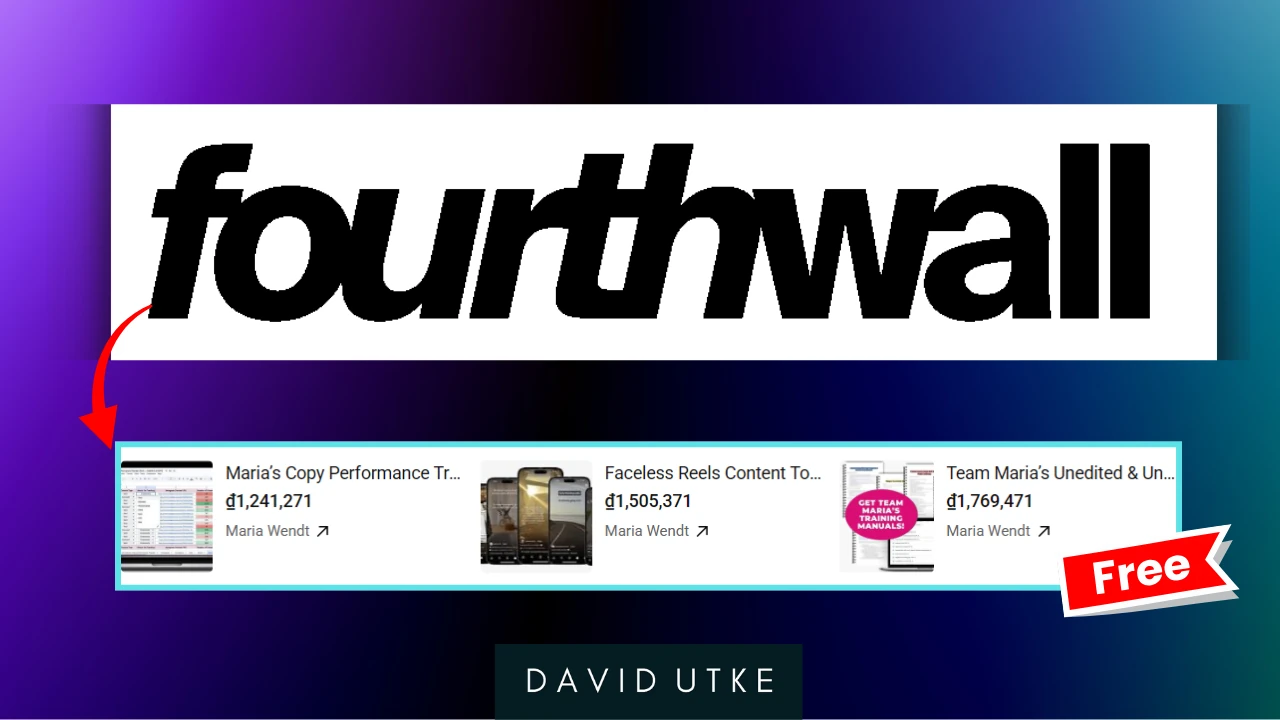
Fourthwall is a completely free platform for uploading and selling digital products, courses, and memberships. Best of all? This platform integrates into the product shelf on YouTube and other platforms.
Pricing
- Free to use
- 0% fees on physical products
- 3% fee on digital products
Key Features
- Integration with TikTok, Instagram, and YouTube
- Product shelf integration on YouTube
- Unlimited content hosting for memberships
- Full brand control
When to Use Fourthwall
Fourthwall is excellent if you’re just starting out and want a free platform or if you’re looking for a way to sell low ticket products on YouTube or Tiktok.
It’s particularly useful if you have a strong social media presence and want to integrate product sales directly into your social platforms.
I personally love the product shelf integration on YouTube, it makes is so easy to sell low ticket stuff to your audience.
7. WooCommerce – The DIY option
WooCommerce is a free WordPress plugin that adds e-commerce functionality to your website. As part of that functionality, they do support selling digital downloads.
Key Features
- Free plugin
- Digital product support
- Extensive marketplace with both free and paid extensions
- Order bump functionality (through extensions)
- Complete customization control
When to Use WooCommerce
WooCommerce is ideal if you already have a WordPress website and want to add e-commerce functionality to sell things like templates, themes, checklist, simple stuff.
It offers the most customization options but requires more technical knowledge to set up and maintain. I also don’t like the whole checkout process with WooCommerce.
When someone adds a product a big ugly banner appears saying “product added to cart,” like just direct the end user to the cart. No need for this stupid, dated looking banner.

8. Gumroad – Email marketing and low ticket products
Gumroad gets a lot of criticism for its 10% transaction fee, but people who complain about forget what value they are providing.
You can offer free products as a lead magnet to a free email list, send out broad cast emails to that list and sell products at a low ticket price point or as a “pay what you want” model.
They also support digital downloads, audio, podcasts and video courses. On top of that, they also have their own internal market where they drive sales of your products without you having to do any marketing.
Pricing
- 10% transaction fee on sales you drive
- 30% transaction fee on sales from Gumroad’s marketplace
- No monthly fees
Key Features
- Sell virtually anything (ebooks, courses, memberships, audio, etc.)
- Basic email marketing included
- Tax obligation handling
- Pay-what-you-want pricing options
- Subscription products
When to Use Gumroad
Despite the 10% fee, Gumroad offers excellent value because you get basic email marketing, tax handling, and can sell virtually any type of digital product. It’s particularly good for low-ticket items like $7-$29 courses and ebooks.
9. Stan Store – Mobile first
Stan Store is a mobile-first platform optimized for social media marketing. Sell coaching, products and courses easily. Their sales pages however are pretty mediocre.
Pricing
- Creator Plan: Basic features, can build email list but can’t send emails
- Creator Pro Plan: Email marketing, automations, unlimited funnels, coupon codes, affiliate payments
Key Features
- Mobile-optimized design
- Link-in-bio functionality
- Email marketing (Pro plan only)
- Booking functionality
- Social media integration
When to Use Stan Store
Stan Store is perfect if your traffic comes primarily from mobile social media platforms like Instagram, TikTok, or X (Twitter). It’s designed as a comprehensive link-in-bio solution.
Honorable Mentions
There are a whole host of other platforms so here is a quick run down.
Skool.com – Community first option
Use Skool if you’re wanting to create a community first and foremost as that is the unique selling point of Skool. They do allow you to create a free community and keep your courses behind a paywall, but people who signup to your Skool do so for the community aspect.
- $99/month
- Community-first platform with courses
- 2.9% transaction fee
- Requires external video hosting
Mighty Networks – Like Skool but more brandable
Basically Skool but more fancy.
- Flexible pricing based on needs
- Community + courses combination
- More customization than School.com
Kajabi – The do everything platform
This platform does everything, from blogging, email marketing, sales pages and offering digital products.
- All-in-one platform ($71/month starting)
- Includes CMS, email marketing, and digital products
- Higher price point but comprehensive features
Podia – Alternative to Teachable and Thinkific
Podia is a solid alternative to my preferred Teachable and Thinkific. They’ve vastly improved the checkout process now which before was a total deal breaker (they used to use some goofy light box, it felt like the user was signing up to an email list, not buying a product).
- Mover Plan: 5% transaction fees
- Shaker Plan: No transaction fees
- Includes email marketing
Pensight – Good alternative to Stan Store
- $29/month Pro Plan
- Mobile-first platform similar to Stan Store
- Email marketing included at lower tier
Stripe – Sell digital product for free (but more technical)
Stipe provides “Stripe checkout” which enables you to create a checkout page for your digital products. It’s free and does not cost a monthly fee or anything. However, you have to setup the product delivery and create the sales page.
Stipe simply provides the checkout page and payment link.
- Free to create a checkout page, can also include order bumps.
- You’ll need a way to deliver your own products.
Executive summary
The platform you choose depends on your specific needs, so let me recap my thoughts.
→ Teachable – Best for a mid range, one time free product that is a bundle of courses. Solid checkout page, and you get your own affiliate program and their “back office” that takes care of taxes and payment. Community included.
→ Thinkific – Best for selling multiple low ticket courses. Nice sales pages, good checkout page. You create a course website and all courses are part of that. Community included.
→ Sam Cart – Best for selling low ticket products with their outstanding checkout page and bump offers. Can host your video courses too and you can make sales pages with Sam Cart. Can brand each product with a unique URL.
→ Thrive Cart – The one time fee champ. Also great for low ticket. You’ll have to source your own video hosting and sales page builder (Carrd, LeadPages or WordPress are ideal).
→ Fourthwall – Integrates with the product shelf here on YouTube. If you have low ticket products and a YouTube channel it’s a no-brainder.
→ Gumroad – Yes 10% transaction fee is not ideal but you can have free products as a lead magnet and use Gumroad as a budget email marketing option. You can also build out a store front and sell digital downloads, video courses and leverage upsells and bump order. No custom branding though.
→ Shopify – A great choice if you want to integrate it into a larger website via a subdomain. A bit technical to setup however and not a proper LMS.
→ Stan Store – The mobile, link in bio store choice. Coaching offers, digital courses and products as well as email marketing. A good choice if you’re audience is mobile first and you’re not using a proper email marketing software.
→ WooCommerce – Using WooCommerce alone to power digital downloads and then using an additional plugin like “Learn Dash” for courses. You can sell through your own WordPress website with the right tech know how, no subscription payment needed.
Any questions? Contact me.
-David
More? More!
The 11 Best Online Course Platforms For Monetizing Knowledge
How I can help you. You're here, let's do this:
1. Website Review Your website may be clear and specific to you, but it may be really confusing to anyone who visits. That's where I come it, I'll give you actionalbe feedback to improve your site with my highly rated gig.2. My YouTube channel Helpful video tutorials showing you how to launch, grow and monetize your audience.